Height in Inches Calculator
- Last formula update:
Decimal & Rounding Policy
- Use exact unit conversion factors and keep full precision during all height calculations; never round intermediate values.
- Round only the displayed result to a practical number of decimal places for clear and readable height conversions.
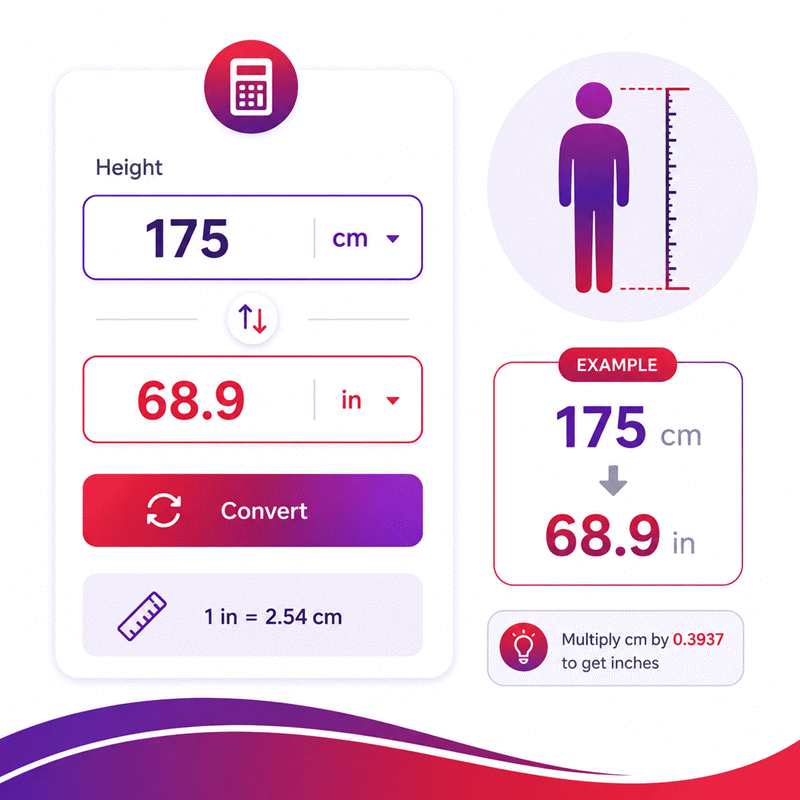
- For example, 175 cm converts to approximately 68.9 in, while 65 in converts to approximately 1.65 m.
- Use a decimal point for fractional values, remove unnecessary trailing zeros, and preserve additional decimals when they are needed for accuracy.
Valid range
- Height: Enter any finite positive height value greater than 0 in a supported length unit.
- Height in Inches: Accepts any finite positive value greater than 0 and can also be edited for reverse height conversion.
- Units: Use only compatible length units such as inches, feet, centimeters, meters, millimeters, yards, and other supported length units.
- Calculation rule: Convert the entered height with the selected unit’s exact conversion factor; for example, 1 ft = 12 in and 1 m = 39.3700787401575 in.
- Invalid values: Empty, non-numeric, non-finite, zero, negative, or dimensionally incompatible values must not produce a valid result.

Felovyn Quarnwick
Reviewers:
Meravie Quellmont
Herixon Vosswick
Check our editorial policy
September 6, 2026
1.0.0
Initial calculator and formula release.
Our engineers are here to help you get it right.
How Does the Height in Inches Calculator Convert Your Height?
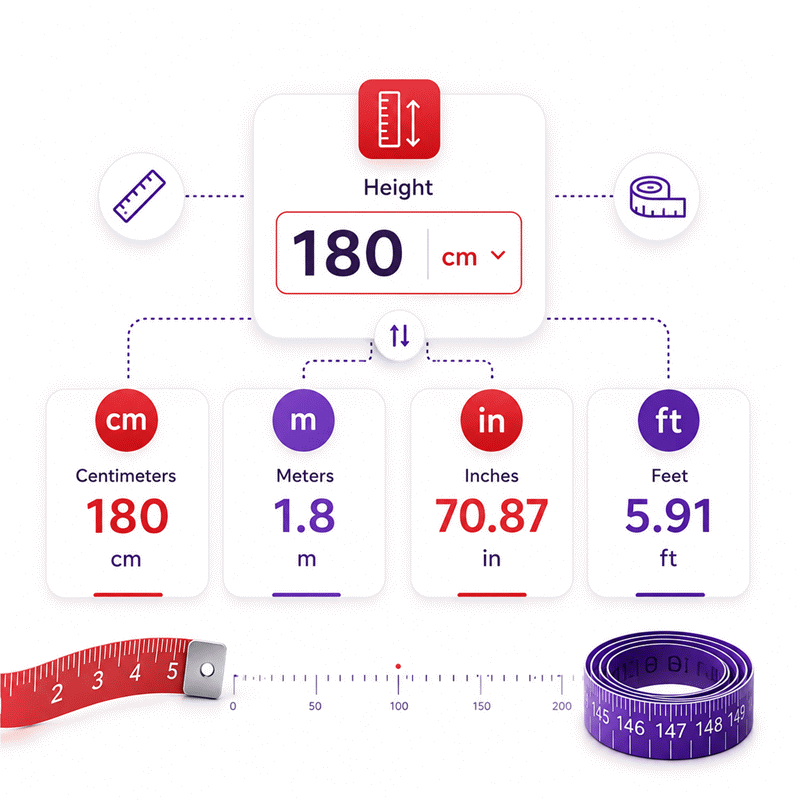
Height in Inches Calculator converts a known height into inches or another supported length unit while preserving the same physical measurement. It supports direct and reverse conversion, so any valid editable height value can become the starting point.
- Convert centimeters, meters, millimeters, feet, yards, and other compatible length units.
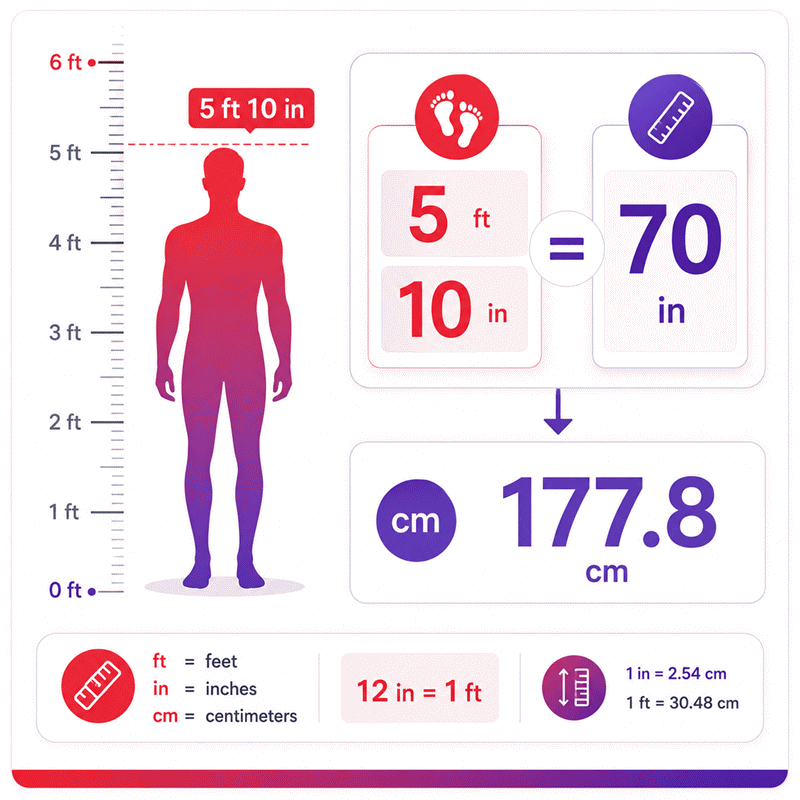
- Use the exact relationship 1 inch = 2.54 centimeters.
- Convert feet and inches into one total-inch value for forms and records.
- Reverse total inches into centimeters, meters, feet, or other supported units.
- Change units without changing the underlying physical height.
- Avoid confusing decimal feet with feet-and-inches notation.
- Check the entered value and selected unit before using the result.
- Measure height carefully because conversion cannot correct an inaccurate measurement.
The Height in Inches Calculator is especially useful when measurements move between metric and imperial systems. Real-time updates make comparison faster, while reverse solving reduces the need for separate converters. For reliable results, start with a correctly measured height, confirm its unit, and use the converted value required by your form, record, or technical workflow.
Assumptions used in this calculator
- Conversions assume standard, internationally accepted length relationships between supported measurement units.
- One inch is treated as exactly 2.54 centimeters in every calculation.
- One foot is treated as exactly 12 inches throughout all conversions.
- All entered values are assumed to represent positive physical heights.
- Input units are assumed dimensionally compatible with standard length measurements.
- Intermediate calculations retain full precision before any display rounding occurs.
- Displayed decimals may be rounded without changing the underlying physical quantity.
- Reverse calculations assume the edited field represents the authoritative current height.
- Unit changes preserve the original physical height whenever the value remains valid.
- Measurements are assumed free from instrument, posture, and reading errors.
- The calculator does not account for uncertainty in real-world measurement procedures.
- Industrial users should verify critical dimensions with calibrated measurement equipment.
- Results should not replace certified measurements, engineering judgment, or regulatory requirements.
Results are rounded for display.
Internal calculations use full precision.
Formulas Used in Height in Inches Calculator :
1. Source-to-Target Conversion Factor
2. Height Conversion
The same conversion rule is used in both directions. For reverse calculation, the edited unit becomes the source unit and the requested unit becomes the target unit.
Variable Definitions
- Hs = height entered in the source unit.
- Ht = converted height in the target unit.
- Cs→t = conversion factor from the source unit to the target unit.
- Ls = length in meters represented by one source unit.
- Lt = length in meters represented by one target unit.
Length Reference Factors
- 1 in = 0.0254 m
- 1 ft = 0.3048 m
- 1 yd = 0.9144 m
- 1 mm = 0.001 m
- 1 cm = 0.01 m
- 1 m = 1 m
- 1 km = 1000 m
- 1 µm = 0.000001 m
- 1 nm = 0.000000001 m
Full precision is preserved during conversion. Rounding is applied only to the displayed value and never to intermediate calculations.
Variables & Definitions
View a complete list of all variables used in this calculator, including definitions and units
Height in Inches Calculator Variables and Conversion Parameters
| Variable | Meaning | Unit | Role in Calculation |
|---|---|---|---|
| Hs | Height expressed in the source unit selected by the user. | Selected length unit | Primary source value used to calculate the equivalent target height. |
| Ht | Height expressed in the selected target unit. | Selected length unit | Converted result calculated from the source height and conversion factor. |
| Cs→t | Conversion factor from the source unit to the target unit. | Target unit per source unit | Multiplies the source height to produce the equivalent target height. |
| Ls | Length in meters represented by one source unit. | m per source unit | Provides the standardized reference value for the selected source unit. |
| Lt | Length in meters represented by one target unit. | m per target unit | Provides the standardized reference value for the selected target unit. |
Unit Conversion Table
Height in Inches Unit Conversion Reference Table
| Unit Group | Unit Name | Symbol | Equivalent in Inches | Used For |
|---|---|---|---|---|
| Popular Units | Inch | in | 1 in = 1 in | Height records, dimensions, forms, and imperial measurements. |
| Popular Units | Foot | ft | 1 ft = 12 in | Human height, room dimensions, construction, and imperial measurements. |
| Popular Units | Centimeter | cm | 1 cm = 0.3937007874015748 in | Human height, metric records, products, and everyday dimensions. |
| Popular Units | Meter | m | 1 m = 39.37007874015748 in | Metric height, engineering dimensions, and larger length measurements. |
| Popular Units | Millimeter | mm | 1 mm = 0.03937007874015748 in | Precision dimensions, manufacturing, components, and technical measurements. |
| Popular Units | Yard | yd | 1 yd = 36 in | Longer dimensions, fabrics, spaces, and customary measurements. |
| Scientific Units | Kilometer | km | 1 km = 39370.07874015748 in | Large-scale distance conversion and scientific length calculations. |
| Scientific Units | Micrometer | µm | 1 µm = 0.00003937007874015748 in | Precision engineering, microscopy, materials, and microscopic dimensions. |
| Scientific Units | Nanometer | nm | 1 nm = 0.00000003937007874015748 in | Nanotechnology, wavelengths, materials science, and nanoscale dimensions. |
Example Calculation
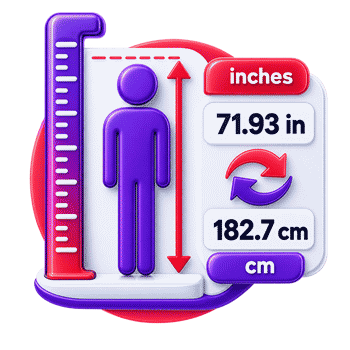
Given A height of 182.7 cm is converted to inches.
Result: 182.7 cm = approximately 71.93 in
The calculation uses the exact relationship 1 in = 2.54 cm. The original value is divided by 2.54 because the source measurement is expressed in centimeters. Full precision is retained during the calculation, while the displayed result may be rounded for readability. The same physical height can also be converted into any other supported length unit.
General Conversion Formulas
- Height in inches = Height in centimeters / 2.54
- Height in inches = Height in feet × 12
- Height in inches = Height in meters × 39.3700787401575
- Height in inches = Height in millimeters / 25.4
- Height in inches = Height in yards × 36
- Target height = Source height × Source unit meter factor / Target unit meter factor
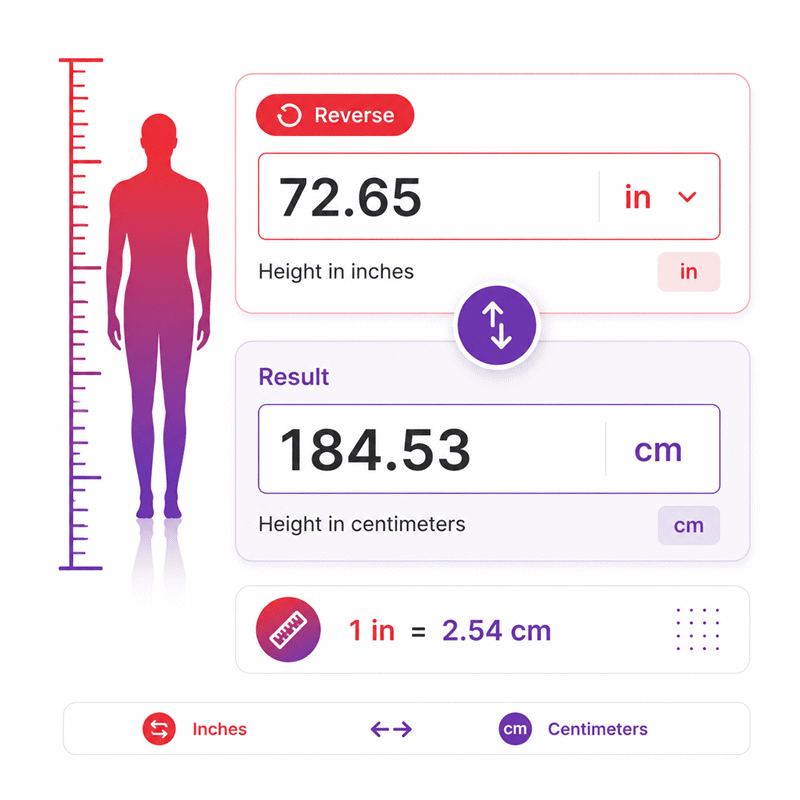
Given The editable inches result is set to 72.65 in, and the unknown height is required in centimeters.
Result: 72.65 in = 184.531 cm
In reverse solving, the edited inches field becomes the known source value. The calculator converts that physical height back into the unit selected for the height field. Because 1 inch equals exactly 2.54 centimeters, multiplying 72.65 by 2.54 gives 184.531 centimeters. Full precision is retained internally, while displayed values may be rounded only for readability.
- Target height = Height in inches × Target units per inch
- Height in centimeters = Height in inches × 2.54
- Height in meters = Height in inches × 0.0254
- Height in millimeters = Height in inches × 25.4
- Height in feet = Height in inches ÷ 12
- Height in yards = Height in inches ÷ 36
- Height in kilometers = Height in inches × 0.0000254
- Height in micrometers = Height in inches × 25400
- Height in nanometers = Height in inches × 25400000
- Source height = Target height × Target unit meter factor ÷ Source unit meter factor
Results are rounded for display.
Internal calculations use full precision.
Calculations Disclaimer
How to Convert Height to Inches Accurately
A height value often arrives in the wrong format for a form. You may have centimeters, meters, or feet and inches. The form may accept only total inches. This small mismatch can stop an otherwise simple task.
A reliable height converter removes that friction. Enter the measurement you already know. Then select its correct unit. The calculator converts the same physical height into inches immediately. You do not need to rebuild the measurement manually.
The key idea is simple. Height does not change during conversion. Only its numerical representation changes. A person does not become taller when centimeters become inches. The calculator simply expresses one length in another measurement system.
This matters when speed and accuracy are both important. Manual conversion becomes harder with decimal values. It also becomes easier to mix feet, inches, and decimal feet. A dedicated converter keeps those formats separate.
Quick view: Measure correctly → Choose the source unit → Enter the value → Read the converted height.
For most users, this process should take only a few seconds. A good calculator should also update results instantly. It should not require a separate calculation button. That keeps the workflow clear and reduces unnecessary clicks.
Converting Centimeters to Inches for Height
Centimeters are common in metric height records. Inches are common in many imperial forms. Moving between them is one of the most frequent height tasks.
Start with the exact centimeter measurement. Avoid changing the value before entering it. Select centimeters as the source unit. The height in inches can then appear automatically.
This approach is useful for profiles, clothing information, fitness records, travel documents, and international data entry. It also helps when two systems appear in one workflow.
The biggest practical mistake is entering a centimeter value while another unit remains selected. Always check the unit beside the value. That one-second check can prevent a large conversion error.
Converting Meters and Millimeters to Inches
Some height records use meters instead of centimeters. Technical records may also use millimeters. Both can still describe the same physical height.
A multi-unit converter should accept these values directly. There should be no need for a separate manual conversion first. Enter the known value and select its real unit.
This is especially useful when data comes from different software systems. One system may store meters. Another may require inches. Direct conversion reduces extra handling and keeps the workflow simple.
Converting Feet and Inches to Total Inches
Feet-and-inches notation creates a different challenge. It contains two units inside one height description. Many digital systems prefer a single total-inch value.
The safest workflow is to treat the height as one complete physical measurement. Do not confuse the inches portion with total inches. They represent different things.
For forms that request total inches, a dedicated converter is faster. It also avoids common mental arithmetic errors. This becomes more useful when many records need conversion.
Reverse Height Conversion from Inches to Other Units
Sometimes the only value available is total inches. The problem then runs in the opposite direction. You may need a familiar height format instead.
A bidirectional calculator solves this without switching tools. Enter the known inch value into an editable result field. The other supported height fields can update from that value.
This changes the usual calculator experience. Results are not treated as locked endpoints. Any valid editable height field can become the new starting point.
That behavior is useful when checking old records. It also helps when one database stores inches. Another system may expect centimeters, meters, or feet and inches.
There is another benefit. Reverse solving makes verification easier. You can start from a converted value and inspect its equivalent forms. This gives the user more context than a one-way converter.
Visual flow: Known inches → Reverse conversion → Familiar height format → Quick verification.
Converting Total Inches Back to Feet and Inches
Total inches can be hard to visualize as human height. Feet-and-inches notation often feels more natural to many users.
A reverse converter should handle this interpretation automatically. Enter the total-inch value. Then view the same physical height in the preferred format.
This is useful for sports profiles, personal records, equipment settings, and imported databases. It also helps when a single numerical field needs human-friendly interpretation.
Be careful with decimal feet. Decimal feet and feet-and-inches notation are not interchangeable. A decimal after the feet value represents part of a foot. It does not directly represent inches.
Converting Inches Back to Centimeters and Meters
International workflows often require metric height data. A stored inch value may therefore need to return to centimeters or meters.
The reverse workflow should remain simple. Edit the inch field. Then select the metric representation you need. The calculator can refresh the related values immediately.
This feature is valuable when data moves between regions. It also reduces repeated manual conversions during data cleanup.
How Reverse Solving Preserves the Same Physical Height
Reverse solving should never create a new physical measurement. It only changes the way that measurement is expressed.
This idea is important when several fields are editable. The last valid field edited by the user becomes the active reference. Other fields then reflect that same height.
A clear interface makes this behavior feel natural. The user can move between units without wondering which box is the real input.
How to Measure Height Correctly Before Converting It
A perfect converter cannot repair a poor measurement. The quality of the starting height still matters.
Use a flat floor and a stable vertical surface. Remove footwear when measuring body height. Stand naturally with the body upright. Avoid leaning forward or backward.
Place a flat object gently across the top of the head. Keep it level with the floor. Mark the point where it meets the wall. Measure vertically from the floor to that mark.
For repeat measurements, keep the method consistent. Small changes in posture can change the observed result. Different footwear can also create obvious differences.
The measuring device matters too. A damaged tape can distort a result. A loosely stretched tape may also create error. For critical work, use equipment appropriate to the task.
Eye check: Is the floor level? Is the measuring line vertical? Is the selected unit correct?
These checks are simple. Yet they prevent many avoidable problems before conversion even begins.
Measurement Accuracy, Posture, Equipment, and Real-World Conditions
Real measurements always come from a physical process. That process can introduce variation before software sees the number.
A person may stand differently between measurements. A wall may not be perfectly vertical. The measuring tool may be positioned incorrectly. A technician may read the scale from an angle.
Industrial measurements can face similar issues. The reference surface may move. Temperature can affect some materials. The measuring point may also be unclear.
The best workflow separates measurement from conversion. First obtain the best practical measurement. Then convert that value with a reliable tool.
This distinction prevents false confidence. A calculator can process the number accurately. It cannot confirm that the original physical measurement was taken correctly.
Common Height Conversion Mistakes and How to Avoid Them
Most height conversion errors are surprisingly simple. They usually come from format confusion, not difficult mathematics.
One common mistake is selecting the wrong source unit. A value entered as centimeters can produce a very different result if meters are selected. Always read the unit beside the field.
Another mistake is confusing total inches with the inches portion of a mixed height. These values are not equivalent. A mixed height contains feet plus remaining inches. Total inches represents the entire height using one unit.
Users also confuse decimal feet with feet-and-inches notation. This error can look small at first. It can still shift the final height enough to matter.
Copying values from another system creates another risk. A database may store a decimal value without a visible unit. Never assume what that number represents. Check the source format first.
Entering extra symbols can also cause trouble. A calculator may accept numeric values only. Keep unit selection inside the unit control when possible.
The fastest prevention method is a three-point check: value, unit, and expected scale.
That final scale check is powerful. If the result looks physically impossible, stop. Recheck the selected unit before using the number elsewhere.
Decimal Feet vs. Feet-and-Inches: A Common Conversion Error
Decimal feet looks similar to ordinary height notation. That similarity causes confusion.
In decimal feet, the digits after the decimal describe part of one foot. They are not an inch count. In feet-and-inches notation, the inch value is a separate unit.
This difference matters in spreadsheets, construction records, design software, and imported datasets. A value can look reasonable while still being interpreted incorrectly.
Before conversion, identify the source format. Ask one simple question. Is the number decimal feet, or is it feet plus inches?
Once that is clear, the conversion path becomes much safer.
Mixing Measurement Formats During Data Entry
Another hidden problem appears when users combine formats in one field. Software may not know how to interpret mixed text consistently.
A safer interface keeps the numeric value separate from its unit selector. This makes the meaning visible before the calculation begins.
For repeated work, use the same entry format across each record. Consistency reduces review time. It also makes unusual values easier to spot.
Height Conversion for Forms, Records, and Daily Workflows
A height conversion becomes most valuable when another task depends on it. The number may be needed for a form, database, profile, specification, or report.
Different systems often request different units. A global application may display centimeters. A local form may request inches. A technical record may use meters or millimeters.
Re-entering measurements manually wastes time. It also adds another opportunity for human error. A real-time converter creates a cleaner handoff between systems.
This is especially useful when several output units appear together. The user can compare equivalent representations without leaving the page.
For occasional users, simplicity matters most. They need the result quickly. For professional users, repeatability matters more. They need the same process to work every time.
A well-designed calculator can serve both groups. The interface stays simple. The underlying behavior remains predictable.
Using Height Conversion for Health, Fitness, and Personal Records
Many personal records use height as a basic data field. Different services may request different unit systems.
Conversion helps when moving information between those services. The user can retain one measured height while changing only its displayed unit.
The converter should not interpret health meaning from the number. Its role is narrower. It changes the measurement format so the user can enter it correctly.
This clear boundary keeps the tool useful without adding unnecessary complexity.
Using Height Conversion in Technical and Industrial Work
Technical teams often receive dimensions from more than one measurement system. Even simple lengths can slow a workflow when formats differ.
A height converter can support equipment records, workspace dimensions, clearances, installation notes, and imported measurements. The value may describe a person, object, opening, or vertical distance.
The important step is identifying the physical quantity first. Use a height converter only for compatible length measurements.
For safety-critical work, the converted number should remain part of a larger verification process. Drawings, approved specifications, calibrated tools, and project procedures still matter.
The calculator saves conversion time. It does not replace engineering review.
Choosing a Height Converter for Fast and Reliable Work
A converter can return the right number and still feel difficult to use. Good design removes small barriers before they become mistakes.
The value field should be easy to identify. The selected unit should always remain visible. Results should update without unnecessary buttons.
Reverse solving adds another useful layer. It lets the user work from whichever measurement is already available. This avoids repeated navigation between separate converters.
Searchable unit controls also help when the unit list grows. Users can reach the needed option quickly. Keyboard support matters for the same reason.
Mobile behavior is equally important. A calculator should remain readable on a narrow screen. Numeric inputs should be large enough for touch use. Result cards should not force awkward horizontal scrolling.
Accessibility improves the experience for everyone. Clear labels make fields easier to understand. Visible focus states improve keyboard navigation. Helpful error messages reduce uncertainty.
Another useful feature is shareable state. A user can send the same measurement setup to another person. This reduces ambiguity during collaboration.
Export tools can also support professional workflows. A clean document can preserve the displayed measurement. A spreadsheet can help when results enter a larger process.
Why Real-Time Conversion Improves the User Experience
Waiting for a Calculate button adds a step that is rarely needed here. Height conversion is a direct relationship between compatible length units.
Real-time updates create immediate feedback. The user can change a value and see the effect at once. They can also change a unit without restarting the workflow.
This instant response makes checking easier. It encourages users to notice unusual results before copying them elsewhere.
There is also less visual clutter. The interface can focus on values, units, and results.
Why Editable Results Make Reverse Solving More Useful
Traditional calculators separate inputs from outputs. That approach can feel limiting for simple conversions.
An editable result can become a new source value. This lets the user move naturally in either direction. It also removes the need for a separate reverse tool.
The experience feels closer to working with linked measurements. Change one representation, and the others follow.
This is one of the most useful features in AxiCalculator’s Height in Inches Calculator. It keeps the task inside one compact workflow.
A Faster Way to Handle Height Data with AxiCalculator
Height conversion should not become a separate project. The user usually wants one thing: a reliable value in the required unit.
AxiCalculator keeps that process direct. Enter the measurement you already have. Choose its unit. Then read the equivalent height immediately.
If another value becomes your starting point, edit that field instead. The calculator can work in reverse without opening another page.
This makes the tool useful for quick personal checks and repeated professional tasks. It also helps when measurements move between metric and imperial systems.
The interface is designed around the work itself. There is no need to memorize conversion steps. There is no need to switch between several calculators.
For the fastest workflow, begin with the most trusted measurement you have. Confirm its unit before entering it. Then use the converted value required by your form or project.
Need another representation? Change the target unit. Need to work backward? Edit the known result. Need to send the calculation? Use the available sharing workflow.
One measurement can appear in many units. The physical height remains the same.
That simple principle makes the entire process easier to understand. It also makes errors easier to detect.
Use the Height in Inches Calculator on AxiCalculator whenever a height must move between measurement systems quickly, clearly, and with minimal friction.
Frequently Asked Questions
What if I know only one height value but need several formats?
What should I do if two saved records show slightly different heights?
Can a shared calculator link reproduce the same height conversion later?
Is the calculator useful when a form accepts a different measurement system?
How should an engineer handle one project value stored in different units?
What should I check when a converted value looks mathematically valid but physically unrealistic?
How can a student or engineer independently verify a height conversion?
Engineering Resources
Our engineers are here to help you get it right.