Size to Weight Calculator
- Last formula update:
Decimal & Rounding Policy
- Calculations use full-precision values internally, with no rounding during intermediate steps.
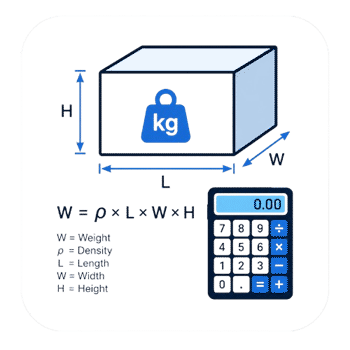
- Volume is calculated from length × width × height, and mass from density × volume.
- Displayed results are rounded only for readability while preserving practical calculation accuracy.
- Changing units does not change the underlying physical value; conversion is performed before display rounding.
- For the most accurate result, enter measured dimensions and density with as many reliable decimal places as available.
Valid range
- Length, Width, and Height: finite values greater than 0, supported from 1e-12 m to 1e12 m.
- Volume: finite values greater than 0, supported from 1e-36 m³ to 1e36 m³ and calculated as V = Length × Width × Height.
- Density: finite values greater than 0, supported from 1e-12 kg/m³ to 1e12 kg/m³.
- Weight: finite values greater than 0, supported from 1e-24 kg to 1e48 kg and calculated as Weight = Density × Volume.
- Reverse calculations are valid only when all required denominator values are finite and greater than 0.
- Unit selections must be dimensionally compatible, and all values are converted to consistent base units before calculation.

Reviewers:
Davenya Quillford
Elvaron Kesthall
Check our editorial policy
July 23, 2026
1.0.0
Initial calculator and formula release.
Our engineers are here to help you get it right.
How Can a Size to Weight Calculator Help You Make Better Decisions?
Size to Weight Calculator helps you estimate the mass of a solid rectangular object from its dimensions and material density. It also works in reverse, so known weight, density, volume, or dimensions can help recover a missing value. This makes the tool useful for design checks, purchasing, fabrication planning, handling, and early logistics decisions.
- Measure the real object whenever possible, not only its nominal size.
- Use density that matches the actual material grade and condition.
- Treat hollow sections, holes, pockets, and cutouts as removed material.
- Calculate separate materials independently when an assembly uses multiple materials.
- Expect moisture, temperature, coatings, and manufacturing tolerances to affect real mass.
- Use reverse solving to investigate missing dimensions or inconsistent project data.
- Keep material mass separate from gravitational force and shipping dimensional weight.
- Verify critical values before lifting, structural work, certification, or final acceptance.
A Size to Weight Calculator is most reliable when geometry and material data describe the same physical part. A precise-looking result cannot correct poor measurements or the wrong density. For routine estimates, the calculator provides a fast planning baseline. For safety-critical or commercial decisions, confirm the finished part with approved project data or direct measurement.
Assumptions used in this calculator
- The object is treated as a solid rectangular cuboid with orthogonal dimensions.
- Length, width, and height describe the same physical object.
- Material density is assumed uniform throughout the calculated volume.
- Density should match the material’s actual temperature, moisture, and composition.
- Selected units are assumed dimensionally compatible and converted consistently before calculation.
- All required values must be positive, finite, and physically meaningful.
- Reverse calculations assume all supplied values are valid and nonzero.
- Voids, cavities, and cutouts are excluded unless their volume is deducted.
- Coatings, inserts, and hardware require separate mass treatment when significant.
- Manufacturing tolerances are not included unless reflected in entered dimensions.
- Measurement accuracy depends on the quality and calibration of measuring instruments.
- Weight is presented as mass, not gravitational force.
- Safety-critical or regulated decisions require independent engineering verification.
Results are rounded for display.
Internal calculations use full precision.
Formulas Used in Size to Weight Calculator:
1. Convert the Selected Unit to the Internal Base Unit
2. Calculate Rectangular Box Volume
3. Calculate Mass from Density and Volume
- L = rectangular box length in the internal base length unit.
- W = rectangular box width in the internal base length unit.
- H = rectangular box height in the internal base length unit.
- V = rectangular box volume, internally expressed in cubic meters.
- ρ = material mass density, internally expressed in kilograms per cubic meter.
- m = object mass, internally expressed in kilograms and displayed as Weight in the calculator.
- xu = numerical value entered or displayed in the selected unit.
- ku = conversion factor from the selected unit to its corresponding internal SI unit.
- xSI = physical value after conversion to the internal SI unit.
Reverse calculations use algebraic rearrangement of the same volume and mass-density equations when Length, Width, Height, Volume, Density, or Weight becomes the unknown value. No separate mathematical model, price formula, cost formula, or intermediate rounding formula is used.
Variables & Definitions
View a complete list of all variables used in this calculator, including definitions and units
Size to Weight Calculator Variables, Symbols, and Units
| Variable | Symbol | Meaning | Quantity Type | Internal Base Unit | Calculator Role |
|---|---|---|---|---|---|
| Length | L | Length of the rectangular box | Length | m | Entered or reverse-calculated |
| Width | W | Width of the rectangular box | Length | m | Entered or reverse-calculated |
| Height | H | Height of the rectangular box | Length | m | Entered or reverse-calculated |
| Volume | V | Three-dimensional space occupied by the rectangular box | Volume | m³ | Calculated, entered, or used in reverse calculation |
| Density | ρ | Mass of material per unit volume | Mass density | kg/m³ | Entered or reverse-calculated |
| Weight | m | Object mass displayed as Weight in the calculator interface | Mass | kg | Calculated, entered, or used in reverse calculation |
| Selected-Unit Value | xu | Numerical value entered or displayed in the selected unit | Unit-dependent value | Selected unit | Used for unit conversion |
| Unit Conversion Factor | ku | Factor that converts the selected unit to its corresponding internal SI unit | Conversion factor | Unit-dependent | Used before and after calculation |
| Internal SI Value | xSI | Physical value represented in the calculator's internal SI base unit | Normalized value | SI unit | Used for all internal calculations |
Unit Conversion Table
Length Unit Conversion Table
| Unit Group | Unit Name | Symbol | Equivalent in m | Used For |
|---|---|---|---|---|
| Popular Units | Millimeter | mm | 0.001 m | Length, width, and height |
| Popular Units | Centimeter | cm | 0.01 m | Length, width, and height |
| Popular Units | Meter | m | 1 m | Length, width, and height |
| Popular Units | Inch | in | 0.0254 m | Length, width, and height |
| Popular Units | Foot | ft | 0.3048 m | Length, width, and height |
| SI Units | Kilometer | km | 1000 m | Large dimensions |
| Imperial / US Units | Yard | yd | 0.9144 m | Length, width, and height |
| Imperial / US Units | Mile | mi | 1609.344 m | Very large dimensions |
| Scientific Units | Micrometer | µm | 0.000001 m | Precision dimensions |
| Oil & Industrial Units | Mil | mil | 0.0000254 m | Fine industrial dimensions |
Volume Unit Conversion Table
| Unit Group | Unit Name | Symbol | Equivalent in m³ | Used For |
|---|---|---|---|---|
| Popular Units | Cubic Centimeter | cm³ | 0.000001 m³ | Small rectangular volumes |
| Popular Units | Cubic Meter | m³ | 1 m³ | Internal volume calculation |
| Popular Units | Liter | L | 0.001 m³ | General volume display |
| Popular Units | Cubic Inch | in³ | 0.000016387064 m³ | Small US customary volumes |
| Popular Units | Cubic Foot | ft³ | 0.028316846592 m³ | Construction and material volumes |
| SI Units | Cubic Millimeter | mm³ | 0.000000001 m³ | Very small volumes |
| SI Units | Cubic Kilometer | km³ | 1000000000 m³ | Extremely large volumes |
| Imperial / US Units | Cubic Yard | yd³ | 0.764554857984 m³ | Bulk construction volumes |
| Imperial / US Units | US Gallon | US gal | 0.003785411784 m³ | US liquid-volume comparison |
| Imperial / US Units | Imperial Gallon | Imp gal | 0.00454609 m³ | Imperial liquid-volume comparison |
| Imperial / US Units | US Quart | US qt | 0.000946352946 m³ | Small US liquid-volume comparison |
| Scientific Units | Microliter | µL | 0.000000001 m³ | Scientific small-volume display |
| Oil & Industrial Units | US Oil Barrel | bbl | 0.158987294928 m³ | Oil and industrial volume |
| Oil & Industrial Units | Board Foot | board ft | 0.002359737216 m³ | Lumber volume |
| Oil & Industrial Units | Thousand Cubic Feet | Mcf | 28.316846592 m³ | Industrial gas-volume representation |
Density Unit Conversion Table
| Unit Group | Unit Name | Symbol | Equivalent in kg/m³ | Used For |
|---|---|---|---|---|
| Popular Units | Kilogram per Cubic Meter | kg/m³ | 1 kg/m³ | Internal density calculation |
| Popular Units | Gram per Cubic Centimeter | g/cm³ | 1000 kg/m³ | Solid material density |
| Popular Units | Pound per Cubic Foot | lb/ft³ | 16.0184633739601 kg/m³ | Construction material density |
| Popular Units | Pound per Cubic Inch | lb/in³ | 27679.9047102031 kg/m³ | Dense industrial materials |
| SI Units | Gram per Cubic Meter | g/m³ | 0.001 kg/m³ | Low-density measurements |
| SI Units | Milligram per Cubic Meter | mg/m³ | 0.000001 kg/m³ | Very low-density measurements |
| Imperial / US Units | Ounce per Cubic Foot | oz/ft³ | 1.00115396087251 kg/m³ | Light material density |
| Imperial / US Units | Ounce per Cubic Inch | oz/in³ | 1729.9940443877 kg/m³ | Compact material density |
| Imperial / US Units | Pound per US Gallon | lb/US gal | 119.826427316897 kg/m³ | US liquid density |
| Imperial / US Units | Pound per Imperial Gallon | lb/Imp gal | 99.7763726631017 kg/m³ | Imperial liquid density |
| Imperial / US Units | Slug per Cubic Foot | slug/ft³ | 515.378818491852 kg/m³ | Engineering density calculations |
| Scientific Units | Milligram per Milliliter | mg/mL | 1 kg/m³ | Laboratory density measurements |
| Oil & Industrial Units | Pound per Oil Barrel | lb/bbl | 2.85301017421182 kg/m³ | Oil-industry density representation |
| Oil & Industrial Units | Kilogram per Oil Barrel | kg/bbl | 6.2898107704321 kg/m³ | Oil-industry density representation |
| Oil & Industrial Units | Pound per Thousand Cubic Feet | lb/Mcf | 0.0160184633739601 kg/m³ | Industrial gas density |
Weight Unit Conversion Table
| Unit Group | Unit Name | Symbol | Equivalent in kg | Used For |
|---|---|---|---|---|
| Popular Units | Kilogram | kg | 1 kg | Internal mass calculation |
| Popular Units | Gram | g | 0.001 kg | Small object mass |
| Popular Units | Pound | lb | 0.45359237 kg | US customary mass |
| Popular Units | Ounce | oz | 0.028349523125 kg | Small US customary mass |
| Popular Units | Metric Tonne | t | 1000 kg | Heavy material mass |
| SI Units | Milligram | mg | 0.000001 kg | Very small mass |
| SI Units | Microgram | µg | 0.000000001 kg | Precision mass measurements |
| Imperial / US Units | Stone | st | 6.35029318 kg | Imperial mass |
| Imperial / US Units | US Short Ton | US ton | 907.18474 kg | Heavy US customary mass |
| Imperial / US Units | Imperial Long Ton | Imp ton | 1016.0469088 kg | Heavy imperial mass |
| Imperial / US Units | Slug | slug | 14.59390294 kg | Engineering mass calculations |
| Oil & Industrial Units | Thousand Pounds | klb | 453.59237 kg | Industrial mass |
| Oil & Industrial Units | US Hundredweight | cwt US | 45.359237 kg | US industrial mass |
| Oil & Industrial Units | Imperial Hundredweight | cwt UK | 50.80234544 kg | Imperial industrial mass |
Example Calculation
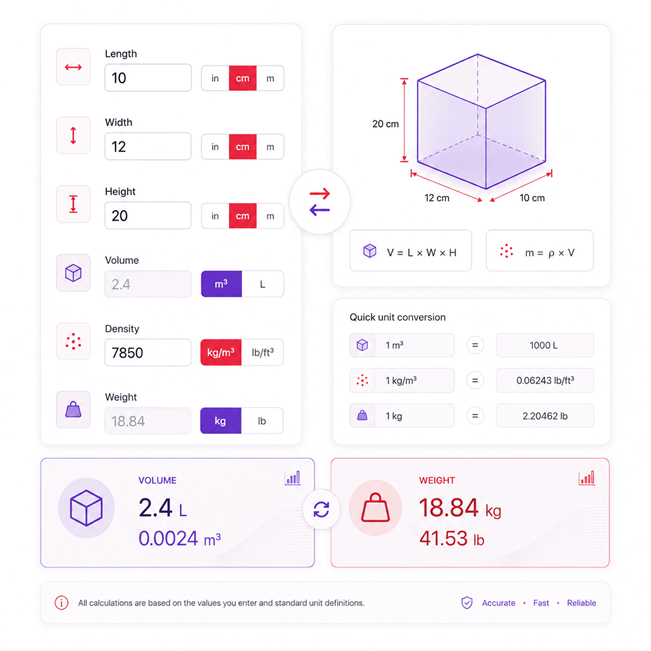
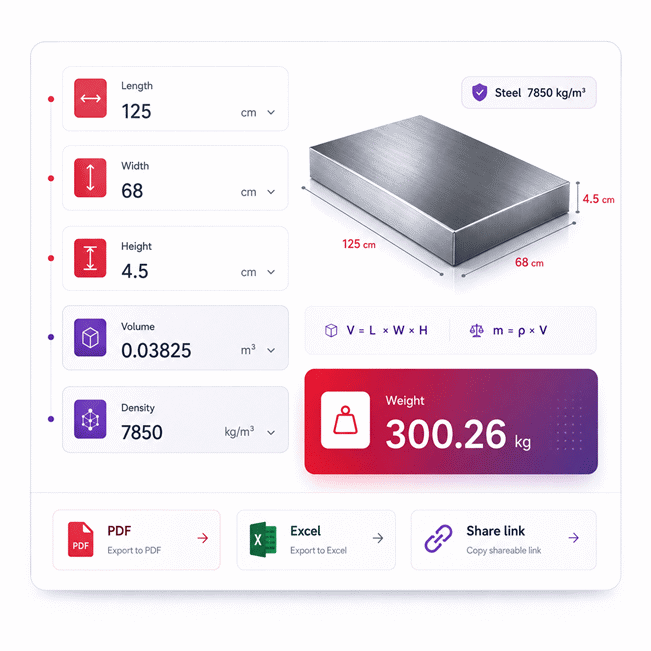
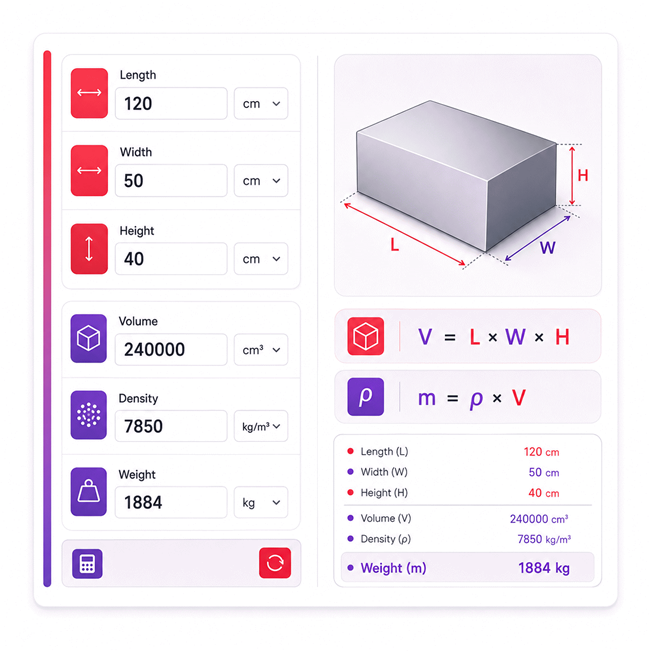
The three dimensions are first converted to compatible base units before calculating volume. The rectangular volume is obtained by multiplying length, width, and height. That volume is then multiplied by the entered material density to determine the object's mass, displayed as Weight in the calculator. Intermediate values remain unrounded so unit conversions and reverse calculations preserve calculation accuracy.
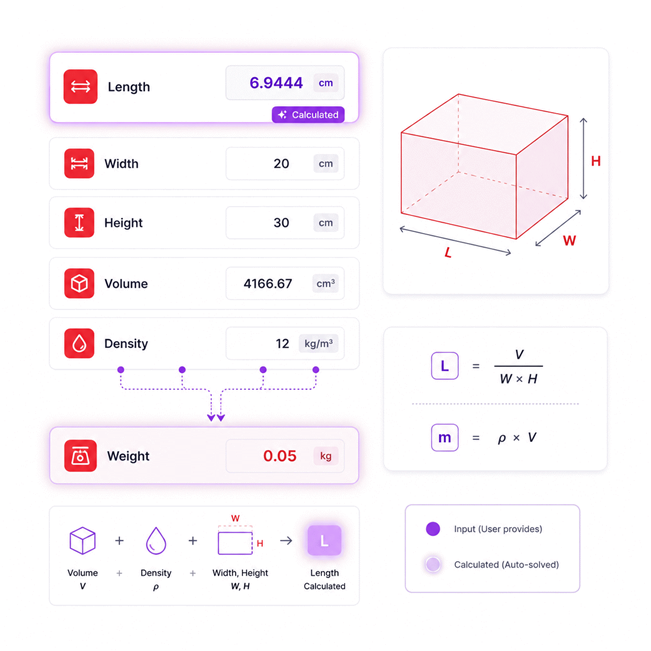
This reverse calculation begins with a known weight and material density instead of a known volume. The volume is recovered first by dividing weight by density, then the unknown length is calculated from volume, width, and height. The final verification reproduces the original weight using the solved dimensions. All calculations retain full precision until the displayed result is formatted.
Results are rounded for display.
Internal calculations use full precision.
Calculations Disclaimer
How Does a Size to Weight Calculator Support Real Decisions?
Choosing material before knowing its weight can create costly surprises. The Size to Weight Calculator turns dimensions and density into a useful planning value. The Size to Weight Calculator can also work backward when information is missing. That helps during purchasing, fabrication, transport, storage, and early design.
The key benefit is not the final number alone. The real value is faster decision making before physical work begins. A buyer can compare material choices before placing an order. A fabricator can estimate handling needs before cutting stock. A designer can test whether a proposed part becomes too heavy.
This workflow is useful because weight affects many later decisions. It can affect handling equipment, packaging, transport, labor, and material cost. It can also change how easily a part can be installed. Finding a problem early is usually easier than fixing it later.
Quick Check: Size tells you the occupied space. Density tells you how much material fills it.
A rectangular object is especially suitable for this process. Its geometry is simple and easy to measure. However, the quality of the result still depends on good input data. That is where careful users gain a clear advantage.
Why External Dimensions Alone Can Mislead You
A box can look large while containing little material. This happens with hollow boxes, shells, frames, and machined parts. Using only outside dimensions can then overstate the material amount.
The opposite problem also appears. Small objects made from dense materials can be surprisingly heavy. A steel block may weigh far more than a similar plastic block. Their outside dimensions can be identical. Their material content is not comparable by size alone.
This is why geometry must match the real object. A solid rectangular block is different from a hollow enclosure. A plate with drilled holes is different from an untouched plate. A coated part can contain several materials at once.
Before using a calculated weight, ask one simple question. Does the entered geometry represent actual material volume? If the answer is no, refine the geometry first.
Why Material Density Can Change a Purchase Decision
Two parts can share the same dimensions yet have very different masses. The reason is material density. This makes density important during early purchasing decisions.
Imagine selecting between several materials for one component. A lighter option may reduce handling work. It may also reduce shipping demand. A denser material may offer other benefits. However, those benefits can come with higher mass.
Density also affects how much material must be handled onsite. Heavy parts can require lifting equipment. They can also affect support structures and installation planning. These issues matter before an order is approved.
A useful calculator therefore supports more than curiosity. It gives buyers and engineers a fast comparison point. That comparison can expose a poor material choice early.
Decision Point: Do not compare materials by size alone. Compare their expected mass too.
How Does Reverse Solving Help When One Value Is Missing?
Real projects rarely arrive with every value ready. Sometimes the part already has a known weight. Its density may also be known. Yet one dimension is missing from the drawing.
Reverse solving turns that incomplete data into useful information. Instead of following one fixed direction, the calculator changes the unknown value. This makes the tool more practical during inspection and troubleshooting.
A user may know weight but not volume. Another user may know volume but not length. A third user may know the outside dimensions and weight. That information can help estimate density.
This flexibility is valuable during field work. Drawings may be incomplete. Labels may be damaged. Supplier documentation may show only selected data. Reverse solving can connect the available values.
The process still depends on enough independent information. A calculator cannot create missing physical facts. It can only solve relationships supported by the known data.
Reverse Solving from Known Mass
A known mass can become the starting point instead of the result. This is useful when a part was already weighed. The material may also have a known density.
Those values can reveal the amount of material present. That information can then support further geometry checks. It may help when a drawing is unclear or incomplete.
This workflow is also useful for quality checks. A measured mass can be compared with expected geometry. A large difference can signal hidden cavities or incorrect material data. It can also reveal a measurement problem.
Reverse solving should therefore be viewed as a diagnostic tool. It does more than produce another number. It helps users test whether available information agrees.
Reverse Solving a Missing Dimension
A missing dimension can stop a quick estimate. Reverse solving can often remove that barrier. The process works when enough other information is available.
For example, volume may already be known. Two rectangular dimensions may also be available. The remaining dimension can then be recovered from that relationship.
This can help during stock checks and inspection work. It can also support drawing reviews before fabrication begins. A strange result should not be accepted without thought.
An unrealistic dimension often indicates inconsistent source data. Check the known measurements first. Then check material information and recorded mass. Reverse solving is most useful when it exposes such conflicts.
When Reverse Solving Cannot Produce a Unique Answer
Some missing data cannot be recovered from one relationship. Several different shapes can share the same volume. Several dimension combinations can also produce the same result.
If too many values are unknown, one unique answer does not exist. More information must be measured or confirmed. Guessing another value only hides the missing data.
This is important during industrial work. A precise-looking number can still be unsupported. Reliable reverse solving requires enough independent known values.
When the available data is incomplete, treat that as useful information. It means another measurement is needed before a sound decision can be made.
How Should You Choose Material Density for a Reliable Estimate?
A perfect dimension set can still produce a poor weight estimate. The most common cause is unsuitable density data. Material names are often broader than users expect.
Steel is not one exact material. Aluminum is not one exact material either. Plastics, wood, concrete, and composites can vary even more. Their density can change with grade and composition.
The best density is the value that describes the actual material. A generic value can help during early planning. It should not automatically replace project-specific data.
For purchasing work, check the material specification first. Then review supplier data when available. This reduces the chance of using a convenient but unsuitable value.
A small density difference may seem harmless. On large parts, that difference can become significant. The impact grows with total material volume.
Why Material Grade and Composition Matter
Material families often contain many grades. Each grade can contain a different composition. That can change its density and expected mass.
This issue becomes important with metals and engineered plastics. It also matters with composites and construction materials. Using a broad category may be adequate for rough planning. It may be weak for final procurement.
Users should therefore distinguish identification from calculation. A calculator can use the density you provide. It cannot confirm whether that density matches the real material.
When a supplier provides grade-specific technical data, use that information. It usually represents the intended product more closely. That improves the quality of the planning result.
Why Temperature, Moisture, and Processing State Matter
Some materials do not remain unchanged in every environment. Wood can gain or lose moisture. Porous materials can absorb fluids. Some polymers respond to temperature changes.
These changes can affect real mass or material volume. That means a handbook value may not perfectly match field conditions.
This is especially important for stored materials. Outdoor storage can change moisture content. Hot process areas can create different physical conditions. Wet aggregate can differ from dry aggregate.
The required care depends on the decision being made. Early planning can tolerate more uncertainty. Safety or contractual work requires tighter control.
When conditions matter, choose data that reflects those conditions. Do not rely only on the material’s general name.
When Supplier Data Should Replace Generic Values
Generic density values are useful during concept work. They provide fast estimates before final data exists. However, supplier data becomes more valuable near purchasing.
Use grade-specific information when material choice has been finalized. This is especially useful for large quantities. It is also important for expensive or heavy components.
Supplier information can also reveal product-specific construction details. A listed item may include cavities or coatings. Those details may not appear in a simple material estimate.
A quick estimate starts the decision. Verified product data should finish critical decisions.
MATERIAL NAME -> EXACT GRADE -> ACTUAL CONDITION -> PROJECT DATA -> BETTER WEIGHT ESTIMATE
How Accurate Can a Rectangular Box Weight Estimate Be?
Users often expect one exact result from any calculator. Real manufacturing rarely behaves that neatly. Dimensions and material properties both have tolerances.
A calculator can process the data correctly. Yet the entered data may describe only nominal conditions. The real part may be slightly larger or smaller.
This does not make the calculation useless. It changes how the result should be used. Planning estimates and verified measurements serve different purposes.
For early design, a close estimate may be enough. For freight planning, a safety margin may be sensible. For lifting work, direct confirmation may be required.
The best question is therefore not simply, “Is this accurate?” Ask whether the accuracy matches the decision.
Why Actual Dimensions Beat Nominal Dimensions
Nominal dimensions describe a stated or standard size. Actual dimensions describe the real measured object. These values are not always identical.
This difference can appear in lumber, plate, molded parts, and fabricated components. Surface finishing can also change final dimensions.
Because three dimensions affect rectangular volume, several small differences can combine. That combined effect can change the expected mass.
Use measured dimensions when a finished part already exists. Use drawing dimensions during design work. Use supplier values when ordering standard stock.
The correct choice depends on the purpose. Mixing nominal and actual data can create false confidence.
How Manufacturing Tolerances Change the Final Mass
Manufacturing tolerances permit small dimensional variation. The finished part can still meet its specification. Yet its material volume can change.
This matters more for large production quantities. A small difference per piece can become significant across thousands.
Thickness is often especially important for sheets and plates. A small thickness change affects the entire face area. That can create a noticeable mass change.
Procurement teams should therefore avoid treating calculated mass as an invoice weight. Manufacturing data and supplier documentation still matter.
Engineering teams can use the calculated value as a planning baseline. That baseline becomes stronger when real tolerances are understood.
When Small Geometric Errors Become Large Weight Errors
A tiny measurement error may appear harmless on one side. However, rectangular volume depends on three measurements together.
Large objects make this effect easier to notice. Dense materials make the resulting mass difference even larger.
Before accepting an unexpected result, inspect the measurements. Check decimal placement and measurement method. Then confirm that each dimension describes the same object.
Good measurement habits often improve results more than extra calculator features. Better input quality creates better decisions.
Red Flag: A highly precise result cannot rescue poor measurement data.
Can This Method Handle Hollow or Machined Parts?
A hollow enclosure can create a major calculation trap. Its outside dimensions describe occupied space, not material volume.
This problem also affects tubes, housings, channels, frames, and machined blocks. Using the entire outside volume can greatly overstate mass.
The correct approach follows actual material geometry. Material removed from the part must not remain in the calculated material amount.
This distinction becomes important for expensive materials. It also matters when lifting or shipping limits are tight. A simple solid estimate may still help during concept work. It should not be confused with the final part mass.
AxiCalculator is most useful when the entered geometry matches the real material. Complex shapes may require several simpler calculations before combining results.
How Holes, Pockets, and Cutouts Change the Result
Machining removes material. Every drilled hole reduces the finished part’s mass. Large pockets can create an even bigger difference.
Start with the outer rectangular material. Then determine the removed material volume. Only the remaining material should contribute to the final estimate.
This method works well for simple machining features. More complex shapes may need CAD data or detailed geometry.
Do not ignore repeated holes simply because each one seems small. A large hole count can remove substantial material.
This is a common issue in mounting plates and machine frames. The outside dimensions alone can look convincing. The finished part can still be much lighter.
How to Approach Coatings and Multi-Material Assemblies
Some rectangular parts contain more than one material. A steel body may carry a thick liner. A plastic enclosure may include metal inserts.
One density cannot represent such an assembly accurately. Each meaningful material should be treated separately. Their individual masses can then be combined.
Thin coatings may contribute very little mass. Thick protective layers can matter more. The same applies to insulation and bonded liners.
This approach also improves purchasing decisions. It separates base material demand from secondary material demand. That makes cost discussions clearer.
OUTER PART -> REMOVE VOIDS -> SEPARATE MATERIALS -> ESTIMATE EACH MASS -> COMBINE RESULTS
What Is the Difference Between Mass, Weight, and Shipping Weight?
Three similar terms can create very different business decisions. Mass describes how much matter an object contains. Weight force depends on gravity.
In everyday trade, people often call kilograms or pounds “weight.” This wording is common and easy to understand. Engineering work may require more careful language.
Shipping introduces another concept. Carriers may consider package size as well as actual mass. A large lightweight package can therefore receive a higher billing value.
These concepts should not be mixed. A material calculation helps estimate material mass. It does not automatically determine structural force or freight billing.
Understanding that difference prevents costly planning mistakes. It also makes communication clearer between engineering, purchasing, and logistics teams.
Why Gravity Should Not Be Mixed with Material Mass
A material part keeps its mass when moved between locations. Its gravitational force can change with local gravity.
That distinction matters in engineering calculations. Structural force should not be confused with a kilogram mass value.
Engineering Insight: Mass describes the object itself. Force describes how gravity acts on that mass.
For purchasing and material planning, mass is usually the useful quantity. For force analysis, another engineering step is required.
Keeping these ideas separate avoids a common terminology error. It also prevents a material calculator from being used outside its intended purpose.
Why Shipping Weight Follows a Different Business Rule
Carriers must plan vehicle space as well as carrying capacity. A large carton can occupy valuable space while remaining light.
For this reason, freight billing may use package dimensions differently. The resulting billing value is not material mass.
This distinction matters when estimating shipping cost. A correct material result can still differ from the carrier’s chargeable figure.
Procurement teams should keep these calculations separate. Use material mass for physical material planning. Use carrier rules for freight pricing.
This simple separation removes a common source of confusion. It also prevents unexpected logistics costs after an order is placed.
What Are the Most Common Size-to-Weight Calculation Errors?
A wrong answer often begins with a believable input. That makes calculation errors difficult to notice. The result may look reasonable while being unusable.
The first common problem is selecting unsuitable density data. The second is using geometry that does not match the part. Hidden cavities create another frequent problem.
Users also mix information from different revisions. A drawing may show one size. A supplier quote may describe another version. The resulting calculation then represents neither part.
Another error occurs when copied data loses context. A density value may belong to another grade. A measured dimension may include packaging or a coating.
Good checking is simple. Confirm material, geometry, revision, and physical condition before trusting the result.
Wrong Density, Wrong Geometry, and Hidden Voids
These three problems account for many surprising results. Each one can shift the answer in a different way.
Wrong density changes the mass relationship directly. Wrong geometry changes the amount of material. Hidden voids make a solid model too heavy.
The fastest diagnostic method is to review inputs independently. Do not keep adjusting values until the result looks familiar. That can hide the real problem.
Instead, verify each fact against the actual part. Check dimensions from the correct drawing revision. Confirm the material grade. Identify holes, cavities, and inserts.
This approach takes slightly longer. It creates much stronger decisions afterward.
Engineering Insight: When a result looks wrong, investigate the inputs before changing the method.
When Should Engineers Physically Verify the Result?
A calculated estimate can save time before a part exists. It can also guide early purchasing and planning. Some decisions still require physical confirmation.
Verification becomes more important as consequences increase. A small purchasing estimate may tolerate uncertainty. A lifting operation usually cannot.
The same principle applies to structural work. A component affecting a safety limit needs verified project data. Commercial acceptance can also require documented measurements.
Physical weighing is useful when the finished object already exists. It captures details that simple geometry may miss. These include welds, fasteners, coatings, and hidden inserts.
Use calculation before fabrication. Use verification when the real part becomes available. The two methods support each other rather than compete.
Procurement, Lifting, and Safety Decisions Need Different Confidence
Procurement often needs a fast forecast before placing an order. A calculated mass can support quotations and material comparisons. It can also reveal unusually heavy options.
Lifting decisions carry greater risk. Crane selection and rigging require dependable load information. Final values should follow approved project procedures.
Safety-related design demands even more care. Never treat a convenient estimate as certified data. Use verified drawings, material information, and measured values where required.
AxiCalculator can make the early workflow much faster. It can help users detect obvious conflicts before money is committed. The tool is especially useful before requesting quotes or reviewing stock.
Use it as an informed decision tool, not a substitute for project control. Start with the live calculation. Review any surprising result before ordering material. Confirm critical mass data before lifting, certification, or final acceptance.
MEASURE -> CHECK MATERIAL -> CALCULATE -> QUESTION SURPRISES -> VERIFY CRITICAL DATA -> DECIDE
Frequently Asked Questions
Should I add a safety margin to the calculated weight when planning transport or handling?
Can I use specific gravity instead of density in the calculator?
How can I compare two material choices for the same rectangular part?
What should I do when the object has rounded corners or chamfered edges?
How can I reconcile calculator results with CAD mass properties or a bill of materials?
How should I handle dimensional tolerances when estimating maximum possible part mass?
Which density should I use for porous, foamed, or composite materials in engineering work?
Our engineers are here to help you get it right.