Feet and Inches Calculator
- Last formula update:
Decimal & Rounding Policy
- Enter feet and inches as whole numbers, decimals, fractions, or simple arithmetic expressions such as 2.5, 1/4, or 1 + 3/8.
- Calculations use full internal precision, with no rounding applied during intermediate calculation steps.
- For addition and subtraction, fractional inches are rounded only in the displayed result according to the selected precision.
- Feet and inches are normalized automatically, with 12 inches converted to 1 foot when required.
- Multiplication and division results retain calculation precision before final display formatting.
Valid range
- Feet: Enter any finite non-negative value, including decimals or fractions; use 0 when no feet are included.
- Inches: Enter any finite non-negative value, including decimals or fractions; values equal to or greater than 12 are normalized into feet and inches in length results.
- Operator: Addition and subtraction return a length, multiplication returns an area, and division returns a unitless ratio.
- Division: The second feet-and-inches measurement must be greater than 0 to prevent division by zero.
- Precision: Fractional-inch results may be displayed using 1/2, 1/4, 1/8, 1/16, 1/32, or 1/64 inch precision.

Felovyn Quarnwick
Reviewers:
Meravie Quellmont
Herixon Vosswick
Check our editorial policy
September 7, 2026
1.0.0
Initial calculator and formula release.
Our engineers are here to help you get it right.
How Does the Feet and Inches Calculator Handle Real Measurements?
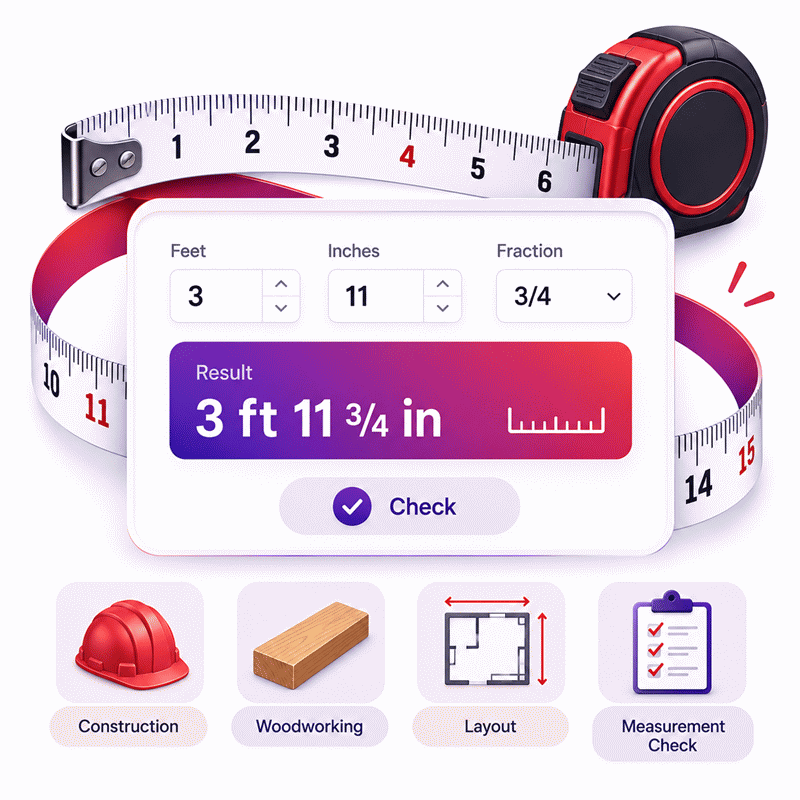
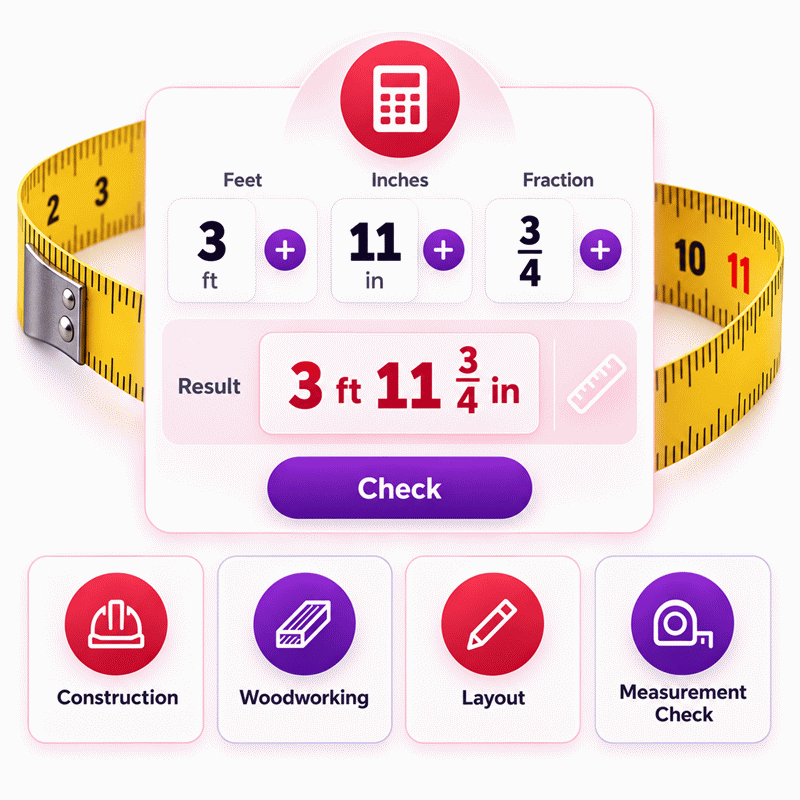
Feet and Inches Calculator makes mixed measurement arithmetic easier by keeping feet, inches, and practical measurement formats together. The Feet and Inches Calculator supports addition, subtraction, multiplication, division, unit changes, and reverse solving when a measurement is missing. It is designed for everyday measurement tasks, construction layouts, woodworking, architectural work, and other jobs where mixed imperial measurements can cause manual calculation errors.
- Add two measured lengths to find a combined total.
- Subtract measurements to find differences, remaining space, or clearances.
- Multiply two lengths when the required result represents an area.
- Divide compatible lengths to compare their size as a ratio.
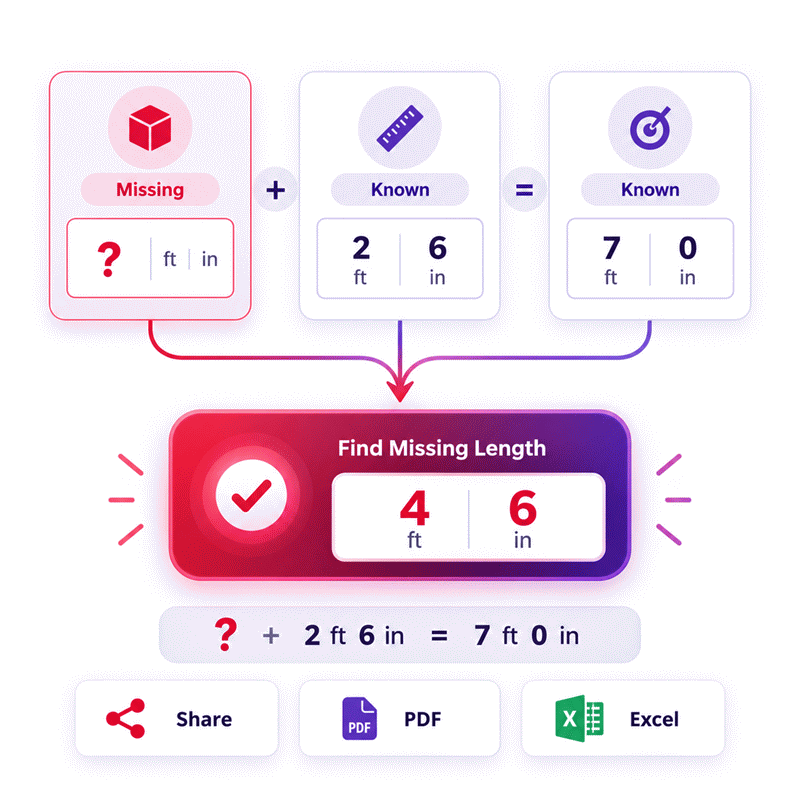
- Reverse solve a missing measurement from known values and a known result.
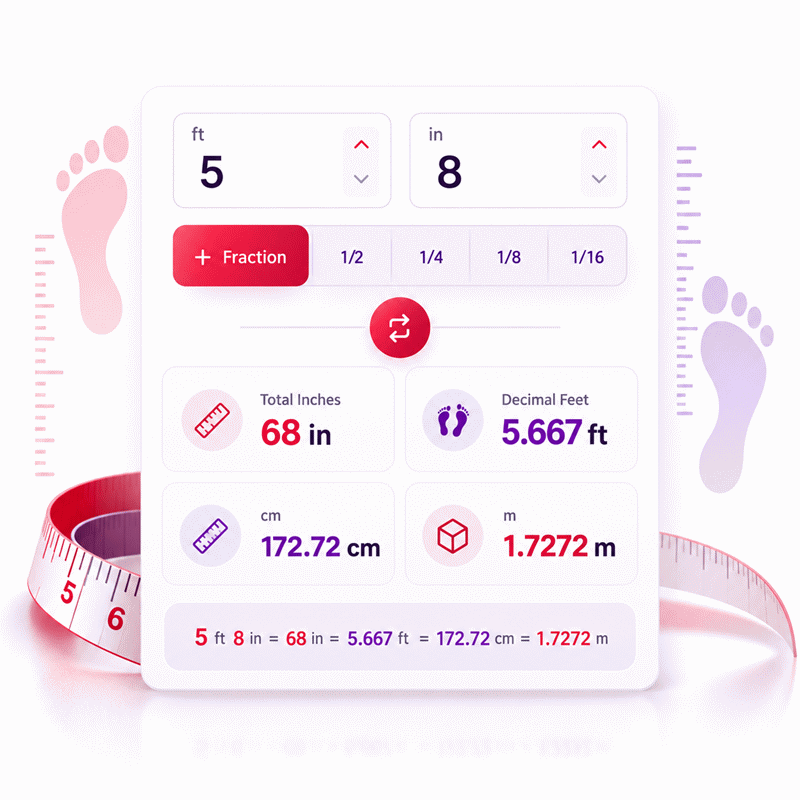
- Work with feet, inches, decimals, fractions, and compatible metric units.
- Use practical outputs for tape-measure, construction, CAD, and spreadsheet workflows.
- Change compatible display units without changing the underlying physical measurement.
- Review results before cutting, ordering, manufacturing, or installing materials.
The calculator reduces repeated manual conversions and keeps each measurement easy to follow. This helps users move from field measurements to useful results with fewer steps and clearer result meaning.
Assumptions used in this calculator
- All measurements are assumed to use consistent, correctly selected length units.
- One foot is treated as exactly twelve inches throughout calculations.
- Negative length components are considered invalid for normal measurement use.
- Addition and subtraction are assumed to produce linear length results.
- Multiplication of two lengths is assumed to produce an area.
- Division of two compatible lengths produces a dimensionless ratio.
- Division requires the second measurement to be greater than zero.
- Intermediate calculations retain full precision before final display rounding.
- Fractional inches are rounded only to the user-selected denominator.
- Unit changes preserve the underlying physical measurement during conversion.
- Input values are assumed to represent real, finite measurable quantities.
- Industrial users should verify critical dimensions against approved technical documentation.
- Final results should not replace certified engineering or metrology procedures.
Results are rounded for display.
Internal calculations use full precision.
Formulas Used in Feet and Inches Calculator :
1. Convert Feet and Inches to a Common Length
Each feet-and-inches measurement is converted to inches before arithmetic is performed. The same relation is applied independently to the first and second measurements.
2. Apply the Selected Arithmetic Operation
Addition and subtraction produce a length, multiplication produces an area, and division produces a unitless ratio. Reverse calculation uses this same relation and solves it algebraically for the single unknown measurement.
3. Convert a Length Result to the Selected Unit
Changing a length unit changes only the displayed number; the underlying physical length remains unchanged.
4. Convert an Area Result to the Selected Square Unit
The linear conversion factor is squared because multiplication of two lengths produces an area.
5. Round a Length Result to the Selected Fractional-Inch Precision
Rounding is applied only to the displayed fractional-inch result. Intermediate calculations retain their full numerical precision.
6. Reduce the Displayed Fraction
The rounded numerator and denominator are reduced to their simplest form before the fractional-inch result is displayed.
Variable Definitions
- f = feet component of a measurement.
- i = inches component of a measurement.
- L = one complete feet-and-inches measurement expressed in inches.
- L1 = first normalized measurement.
- L2 = second normalized measurement.
- R = arithmetic result before display rounding.
- xu = a length value expressed in unit u.
- xin = the same length expressed in inches.
- xv = the same physical length expressed in the selected output unit v.
- ku = number of inches represented by one unit u.
- Qin² = multiplication result expressed in square inches.
- Qu = the same area expressed in the selected square unit.
- d = selected fractional-inch denominator: 2, 4, 8, 16, 32, or 64.
- T = rounded count of fractional-inch increments in the absolute length result.
- F = whole feet in the rounded mixed-unit result.
- J = whole remaining inches after complete feet are removed.
- n = fractional-inch numerator before simplification.
- g = greatest common divisor used to reduce the fraction.
| Unit | Symbol | k Value in Inches |
|---|---|---|
| Inch | in | 1 |
| Foot | ft | 12 |
| Yard | yd | 36 |
| Millimeter | mm | 0.03937007874015748 |
| Centimeter | cm | 0.3937007874015748 |
| Meter | m | 39.37007874015748 |
| Kilometer | km | 39370.07874015748 |
Variables & Definitions
View a complete list of all variables used in this calculator, including definitions and units
Feet and Inches Calculator Variables and Measurement Definitions
| Symbol | Variable | Description | Unit or Type | Used In |
|---|---|---|---|---|
| f | Feet component | The feet portion entered for one measurement before normalization. | ft | Input normalization |
| i | Inches component | The inches portion entered for one measurement before normalization. | in | Input normalization |
| L | Normalized length | One complete feet-and-inches measurement expressed in inches for calculation. | in | Length normalization |
| L1 | First normalized measurement | The first feet-and-inches measurement after conversion to the common inch unit. | in | Arithmetic operation |
| L2 | Second normalized measurement | The second feet-and-inches measurement after conversion to the common inch unit. | in | Arithmetic operation |
| R | Calculation result | The unrounded result produced by the selected addition, subtraction, multiplication, or division operation. | in, in2, or unitless | Final calculation and reverse calculation |
| xu | Length in source unit | A physical length expressed in the currently selected source unit. | Selected length unit | Unit conversion |
| xin | Length in inches | The same physical length converted to inches as the common length-conversion base. | in | Unit conversion |
| xv | Length in output unit | The same physical length expressed in the selected destination or display unit. | Selected length unit | Result conversion |
| ku | Length conversion factor | The number of inches represented by one unit of the selected length unit. | in per selected unit | Length and area conversion |
| Qin² | Area in square inches | The multiplication result expressed in square inches before conversion to another area unit. | in2 | Multiplication result |
| Qu | Area in selected unit | The calculated area expressed in the selected square unit for display. | Selected area unit | Area conversion |
| d | Fraction denominator | The selected fractional-inch precision denominator used for the displayed rounded result. | 2, 4, 8, 16, 32, or 64 | Fractional-inch rounding |
| T | Rounded increment count | The rounded number of fractional-inch increments contained in the absolute length result. | Count | Fractional-inch rounding |
| F | Whole feet | The whole-foot portion of the rounded mixed feet-and-inches result. | ft | Mixed-unit result |
| J | Whole remaining inches | The whole-inch remainder left after complete feet are removed from the rounded result. | in | Mixed-unit result |
| n | Fraction numerator | The fractional-inch numerator obtained after applying the selected display precision. | Integer | Fraction display |
| g | Greatest common divisor | The greatest common divisor of the numerator and denominator used to reduce the displayed fraction. | Integer | Fraction simplification |
Unit Conversion Table
Feet and Inches Calculator Unit Conversion Table
| Unit Group | Unit Name | Symbol | Equivalent | Used For |
|---|---|---|---|---|
| Popular Units | Foot | ft | 1 ft = 12 in | Construction, height, room dimensions, and everyday length measurement |
| Popular Units | Inch | in | 1 in = 1 in | Fractional measurements, tape measures, woodworking, and detailed dimensions |
| Popular Units | Yard | yd | 1 yd = 36 in | Longer distances, landscaping, fabric, and construction measurements |
| Scientific Units | Millimeter | mm | 1 mm = 0.03937007874015748 in | Engineering, manufacturing, machining, and precision measurements |
| Scientific Units | Centimeter | cm | 1 cm = 0.3937007874015748 in | Metric everyday measurements, product dimensions, and general length conversion |
| Scientific Units | Meter | m | 1 m = 39.37007874015748 in | Architecture, engineering, construction, and metric length measurement |
| Scientific Units | Kilometer | km | 1 km = 39370.07874015748 in | Large-scale distance and metric length conversion |
| Popular Units | Square Foot | ft² | 1 ft² = 144 in² | Flooring, rooms, walls, panels, and construction area calculations |
| Popular Units | Square Inch | in² | 1 in² = 1 in² | Small surfaces, components, woodworking, and detailed area calculations |
| Popular Units | Square Yard | yd² | 1 yd² = 1296 in² | Flooring, landscaping, carpeting, and larger surface measurements |
| Scientific Units | Square Millimeter | mm² | 1 mm² = 0.0015500031000062 in² | Precision engineering, manufacturing, and small component areas |
| Scientific Units | Square Centimeter | cm² | 1 cm² = 0.15500031000062 in² | Metric product dimensions and small-to-medium surface areas |
| Scientific Units | Square Meter | m² | 1 m² = 1550.0031000062 in² | Architecture, flooring, construction, property, and engineering areas |
| Scientific Units | Square Kilometer | km² | 1 km² = 1550003100.0062 in² | Large geographic areas and large-scale metric area conversion |
Example Calculation
Both measurements are first converted to inches so the calculation uses one common length unit.
The fractional-inch values are preserved during the calculation without intermediate rounding.
After addition, the total inches are normalized back into complete feet and remaining inches.
The final mixed-unit result is 12 ft 8 in, while the exact total is 152 in.
The known result and known measurement are first converted to inches.
The addition equation is rearranged to isolate the missing measurement.
The solved value remains exact during calculation before mixed-unit formatting.
The final value is converted back to feet, inches, and fractional inches.
Results are rounded for display.
Internal calculations use full precision.
Calculations Disclaimer
How a Feet and Inches Calculator Solves Real Measurement Problems
A measurement can look simple until two units appear together. Feet and inches create that exact problem. One value may contain whole feet, extra inches, and a mixed measurement. A small reading mistake can change an entire project. A Feet and Inches Calculator removes that extra mental work. It keeps the measurement structure clear from start to finish.
The main benefit is not just speed. The real benefit is control. You can enter both measurements as they appear in your work. Then you can choose the operation that matches your task. The calculator handles the mixed measurement as one complete length. This keeps the workflow easier to follow.
Turn Mixed Measurements Into One Clear Workflow
Imagine measuring two pieces with a tape measure. One reading uses feet and inches. The second reading uses a different combination. Manual arithmetic can become slow. It becomes even harder when the measurements come from several people.
A good feet inch calculator keeps each measurement separate. This reduces transcription mistakes. You can also see which value belongs to each side. That matters during construction, woodworking, layout work, and general measurement tasks.
The process stays simple. Enter the first measurement. Enter the second measurement. Choose the required operation. Then review the result in the most useful format.
Choose the Operation That Matches the Job
Every measurement problem has a different goal. Sometimes two lengths must be combined. Sometimes one length must be removed from another. Other tasks compare measurements or use two lengths together.
This is where a mixed measurement calculator becomes useful. You do not need separate tools for every basic operation. You can keep the same measurements and change the task directly.
That also reduces repeated data entry. Less retyping means fewer chances for mistakes. It also makes checking an earlier calculation much faster.
How to Add and Subtract Feet and Inches Without Manual Confusion
Adding or subtracting mixed measurements often looks easier than it is. The problem usually starts when the inch values cross a foot boundary. Manual work can also become confusing when measurements contain several components.
A feet and inches calculator keeps those parts connected. You work with complete measurements instead of isolated numbers. This makes the result easier to read and easier to check.
Add Feet and Inches for Combined Lengths
Addition is useful when several measured sections form one total length. This happens during trim work, framing, pipe runs, furniture layouts, and room measurements.
The calculator lets you enter each measured section directly. You do not need to rewrite the measurement first. The final value is then presented as one combined length.
This workflow is helpful when measurements come from a tape measure. The original reading stays easy to recognize. You can compare the result with your notes before making a cut.
For longer projects, this can reduce small arithmetic delays. Those delays often become larger when the same task repeats many times.
Subtract Feet and Inches to Find a Difference
Subtraction answers a different question. You may know a total opening. You may also know the space already occupied. The missing difference is the value you need.
This situation appears in installation work every day. It can occur with panels, shelves, trim, flooring, frames, and machine clearances.
A subtraction result also helps compare two measured objects. You can quickly see the distance between their lengths. That is easier than comparing each foot and inch component separately.
Watch the Direction of the Measurement
The order of subtraction matters. A smaller first measurement can produce a negative difference. That does not always mean the calculator failed. It often means the comparison direction was reversed.
Before using the result, ask one simple question. Which measurement should be removed from which measurement? That quick check prevents many avoidable mistakes.
Multiply and Divide Feet and Inches With the Correct Result Meaning
Multiplication and division create a different type of measurement problem. The answer may no longer represent a simple length. This is where many manual calculations become misleading.
The numbers can look correct while the interpretation is wrong. A useful calculator must therefore show more than a number. It should make the result type easy to understand.
Multiply Two Length Measurements for Surface Calculations
Multiplication is useful when two measured directions define a surface. A common case involves length and width. The result describes an area instead of another linear measurement.
This distinction matters in real purchasing decisions. Flooring, panels, sheet material, coatings, and coverings depend on surface size. Treating that result as a normal length would create a serious planning error.
A feet and inches area calculator helps keep this difference visible. You can work from familiar tape measurements without mentally rebuilding the calculation.
This is especially helpful when one dimension uses feet and inches. The second dimension may use another practical length unit. The calculator handles the measurement relationship before presenting the area result.
Divide Feet and Inches to Compare Two Lengths
Division is often used for comparison. It can tell you how many times one measurement fits another. It can also support proportion checks and repeated spacing decisions.
The important detail is the meaning of the answer. Dividing one compatible length by another gives a ratio. The result describes a relationship between the two measurements.
This can be useful during layout work. A user can compare available space with a repeated component size. It can also help when checking relative dimensions between two objects.
Do Not Treat Every Result as a Length
This is a common source of confusion. Addition and subtraction stay within length measurement. Multiplication changes the result type. Division creates a comparison value.
Knowing that difference makes the calculator far more useful. It also helps users detect results that do not match their actual task.
Reverse Feet and Inches Solving Finds the Missing Measurement
Sometimes the missing value is not the final answer. The missing value is one of the measurements. Traditional calculators make this situation frustrating. They expect every input before they produce a result.
Reverse solving changes that workflow. You can start with the result you already know. Then you can use the known measurement to recover the missing value.
This makes a reverse Feet and Inches Calculator much more flexible. It behaves more like a practical problem-solving tool.
Solve a Missing Length From a Known Result
Consider a common installation problem. You know the required finished length. You also know one installed section. What you need is the remaining section.
Reverse solving allows the known result to become part of the calculation. The unknown measurement can then be solved from the available values.
This is useful when checking drawings, field measurements, assemblies, and material layouts. It is also helpful when a measurement was lost from earlier notes.
You avoid working backward on paper. You also avoid moving between separate calculator pages.
Why Editable Results Change the Calculator Experience
An editable result makes the calculator work in both directions. That difference may seem small. In practice, it changes how many problems the same tool can solve.
You can begin with inputs and find the result. You can also begin with a target result. Then you can solve the missing measurement.
This creates a more natural workflow for real projects. Real measurements do not always arrive in perfect order. Sometimes the target is known first. Sometimes only one side is missing.
Use Reverse Solving Only When the Unknown Is Clear
A reverse problem needs enough known information. If several unrelated values are missing, one unique answer may not exist.
The fastest approach is simple. Keep the values you know. Clear the measurement you want to solve. Then enter the known result.
The calculator can use that relationship to recover the missing value when the problem is solvable.
Common Feet and Inches Mistakes That Can Change the Result
Most measurement errors are not caused by difficult mathematics. They come from notation, copied values, or misunderstood formats. These mistakes are dangerous because the number may still look reasonable.
A quick review before using the result can prevent wasted material. It can also prevent incorrect orders and repeated installation work.
Do Not Confuse Decimal Feet With Feet and Inches
This is one of the most common mistakes. A decimal after a foot value represents part of one foot. It does not represent an inch count.
That difference matters when measurements move between software and field notes. CAD files and spreadsheets may use decimal feet. Tape measurements usually use feet and inches.
Always identify the format before entering the value. Do not assume the digits after a decimal point represent inches.
This single habit can prevent surprisingly large measurement errors.
Read Measurement Symbols Before Copying Values
Feet and inches can appear in several written styles. Some drawings use unit abbreviations. Others use common measurement marks.
Problems start when those symbols are copied incorrectly. They also happen when a measurement loses its unit during messaging or data entry.
Keep the unit beside the number whenever possible. This is especially important when several people share the same measurement.
A value without context can become useless later. A clear measurement remains useful across the entire project.
Check the Real Dimension Instead of the Product Name
Some products use names that do not match their exact physical size. This is common in building materials and manufactured parts.
When the calculation affects a physical fit, use the measured dimension. Do not rely only on the nominal product description.
This becomes critical around tight clearances. Small differences can affect alignment, spacing, and final installation.
Review Zero and Negative Results Before Rejecting Them
A zero result can be completely valid. It may show that two compared measurements are equal.
A negative result may also contain useful information. It can show that one measurement exceeds another. Review the operation before assuming an error occurred.
Using Feet and Inches Calculations in Construction and Workshop Tasks
Field measurements rarely arrive in a perfect format. A tape measure may give one reading. A drawing may use another. A spreadsheet may expect something different.
The calculator becomes more valuable when it fits that full workflow. It should help from the first measurement through the final check.
Construction Layout and Installation Work
Construction teams often combine several measured sections. Openings, trim lengths, framing members, and clearances may all use mixed measurements.
Manual arithmetic can slow the process. It becomes harder when workers are under time pressure. A quick calculator reduces that mental load.
The best workflow is still measurement first. Check the physical location. Enter the values carefully. Review the result before marking material.
This is especially important when several pieces depend on one reference dimension.
Woodworking and Cabinet Measurements
Woodworking often involves small dimensional differences. A minor entry error may affect fit across an entire assembly.
A mixed measurement calculator helps when adding rails, panels, gaps, or frame sections. It can also compare an available opening with a planned component.
The tool is most useful when it supports the same format used in the workshop. That reduces conversion steps between measuring and cutting.
Less format switching also makes the calculation easier to verify.
Architectural Drawings, CAD, and Spreadsheet Workflows
Digital project files may store measurements differently from field notes. This can create confusion during data transfer.
A project team may measure in feet and inches. A spreadsheet may need another numeric format. CAD settings may also follow a project-specific convention.
Use a clear workflow when moving between systems. Identify the source format first. Keep the original measurement available for comparison.
This makes errors easier to find before they affect later work.
Choose a Feet and Inches Calculator That Supports the Whole Task
A calculator can return a number and still create extra work. The better question is whether the tool supports the complete measurement process.
You should be able to enter values quickly. The result should update without unnecessary steps. Units should remain clear. The interface should also work well on mobile devices.
Look for Features That Reduce Repeated Work
Real-time calculation saves a click after every change. Reverse solving can recover a missing measurement. Searchable unit controls reduce long menu scanning.
Sharing is also useful during team work. A reusable calculation link can reduce transcription between workers. Export tools can support project records and office workflows.
These features are not decorative. Each one removes a repeated manual step. That can make the calculator more useful during daily work.
Use AxiCalculator When You Need More Than a Basic Answer
AxiCalculator combines mixed measurement arithmetic with an interactive workflow. You can work with feet and inches without rebuilding each value manually.
The calculator supports addition, subtraction, multiplication, and division tasks. It also supports reverse problem solving when one measurement is missing.
You can change compatible display units without restarting the calculation. Results update while you work. This makes checking several measurement choices much faster.
PDF and Excel export can help when a calculation needs documentation. The share option also helps move a calculation between people or devices.
The goal is simple. Measure once, enter carefully, and keep the calculation easy to verify. That gives both general users and professionals a cleaner workflow.
Make the Final Check Before You Build, Cut, or Order
A fast calculator is useful. A checked calculation is more useful.
Review the entered measurements before acting on the result. Check the task type and the result meaning. Then compare the final value with the real project condition.
That short review can save far more time than the calculation itself.
Frequently Asked Questions
Can I share a feet-and-inches calculation with another person?
What happens if I change the selected unit after entering a measurement?
When should I use PDF export instead of Excel export?
Can I use the calculator on a phone while measuring on site?
How should an engineer use a calculated dimension when the drawing includes tolerances?
What should I do when CAD dimensions and field measurements use different formats?
How can I verify a reverse-solved measurement before using it in fabrication?
Engineering Resources
Our engineers are here to help you get it right.